The Malomo Tracking Page Creator
The problem
Before this project, our CS team designed tracking pages from scratch in Webflow, then relied on engineering to manually embed them into Shopify. The process took weeks, required constant back-and-forth, and left merchants with no way to customize after launch.
What we shipped
A self-serve builder that lets merchants create, customize, and launch branded tracking pages in just two clicks.
Impact
- Setup time dropped from weeks to under an hour.
- Support tickets decreased by 50%.
- CTR from tracking pages was on average 10%-20%.
Tracking page creator flow
The Two‑Click Tracking Page Creator
Using Shopify's theme editor let us focus on the creation flow inside our dashboard instead of building a page builder from scratch. I designed for speed first, distilling the experience down to two clicks with defaults pre-populated for common use cases.
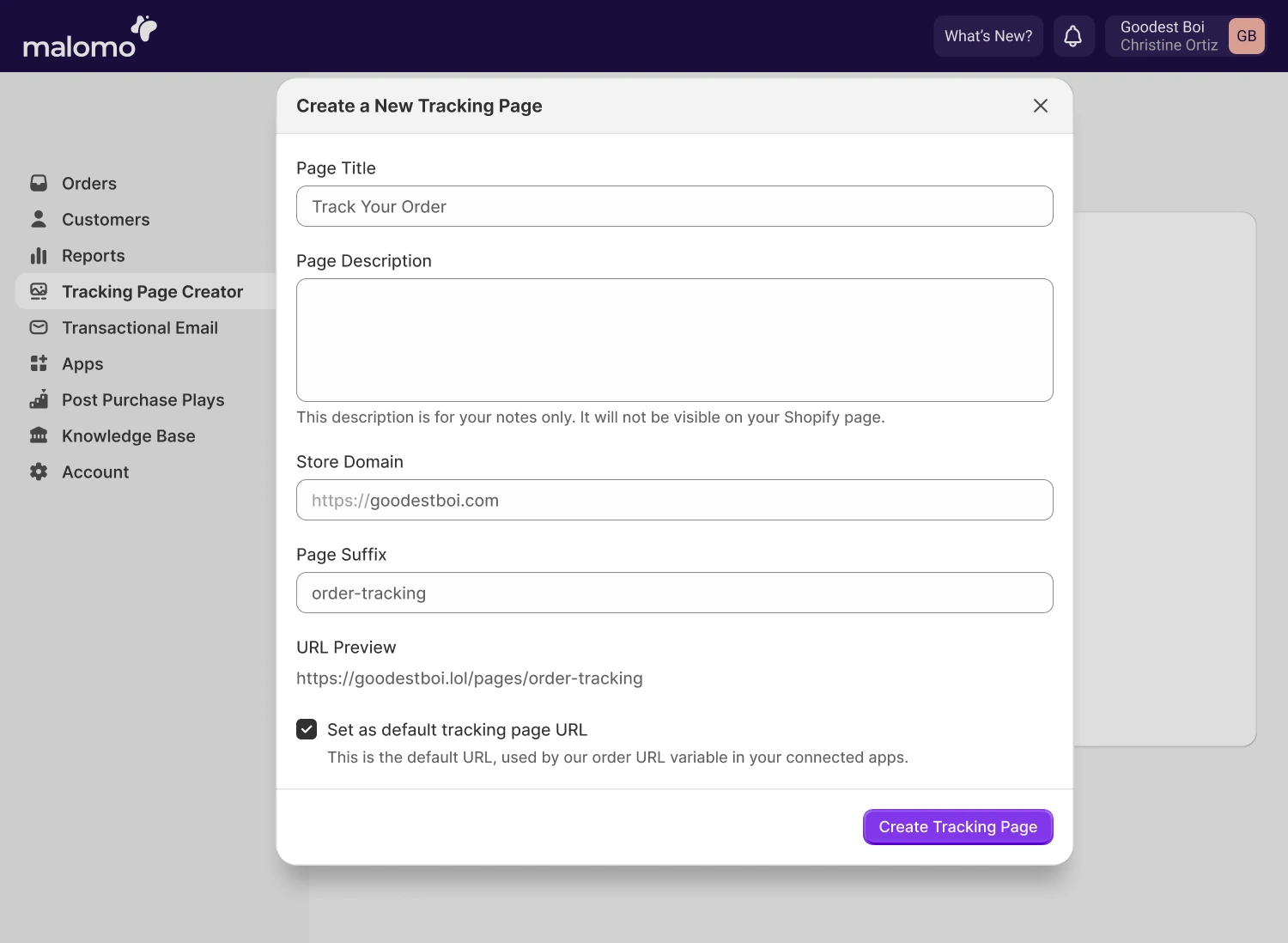
Two‑click Tracking Page Creator
Using Shopify's theme editor
Rather than building a custom page builder, I proposed using Shopify's theme editor. After validating feasibility with engineering, we pitched the idea internally and aligned quickly.
The theme editor also supported deeper customization and app integrations. I added articles and short video tutorials to our knowledge base to help merchants get started and extend their pages.
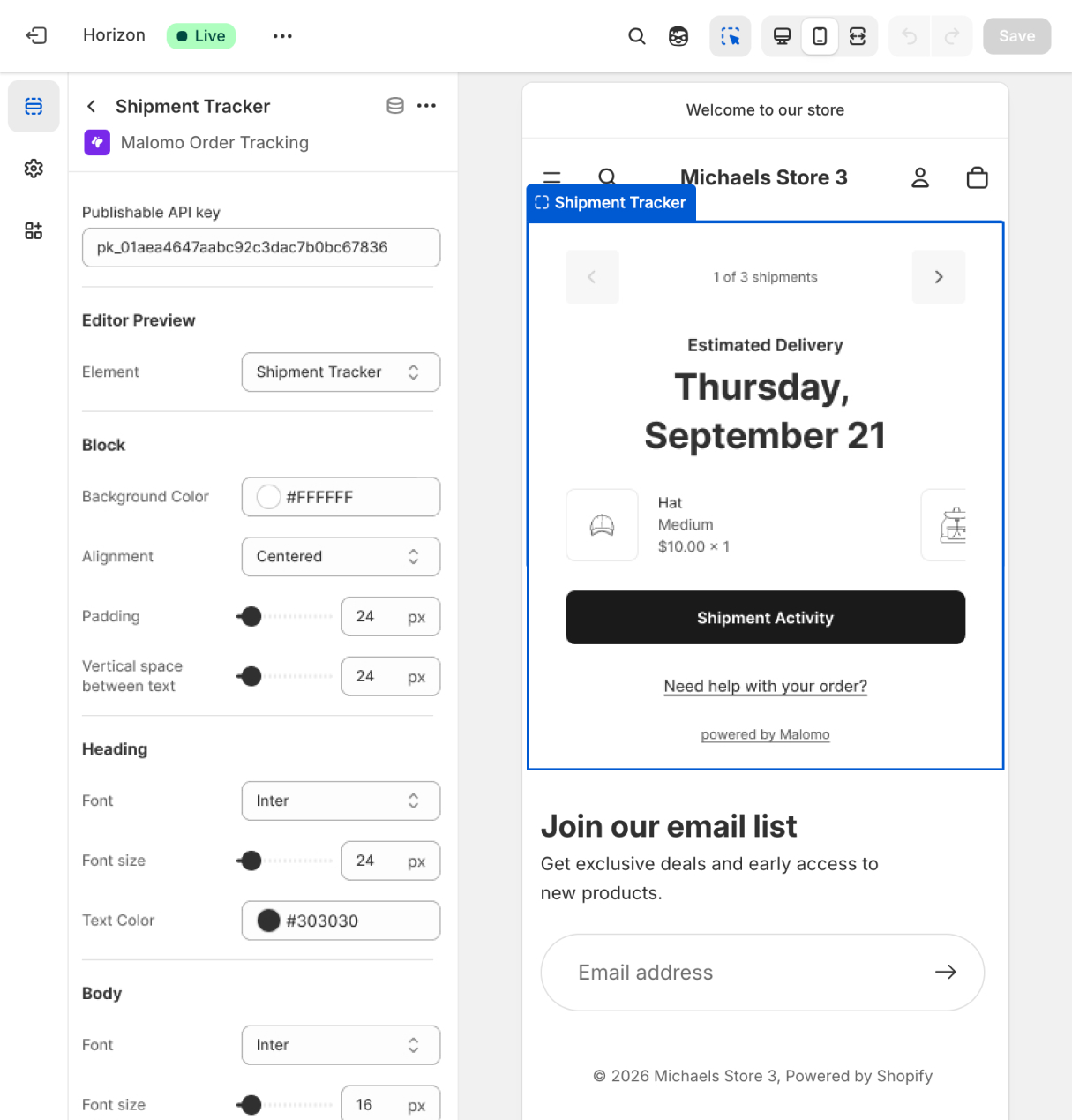
Shopify Theme Editor
Customer‑facing tracking block
We took this opportunity to spruce up the tracking block as well. We added line-items, conditions for additional statuses, and cleaned up the block in general.
- Line-item pictures and descriptions.
- New additional statuses: partially fulfilled, order placed, unknown.
- Mobile first: cleaner information hierarchy.
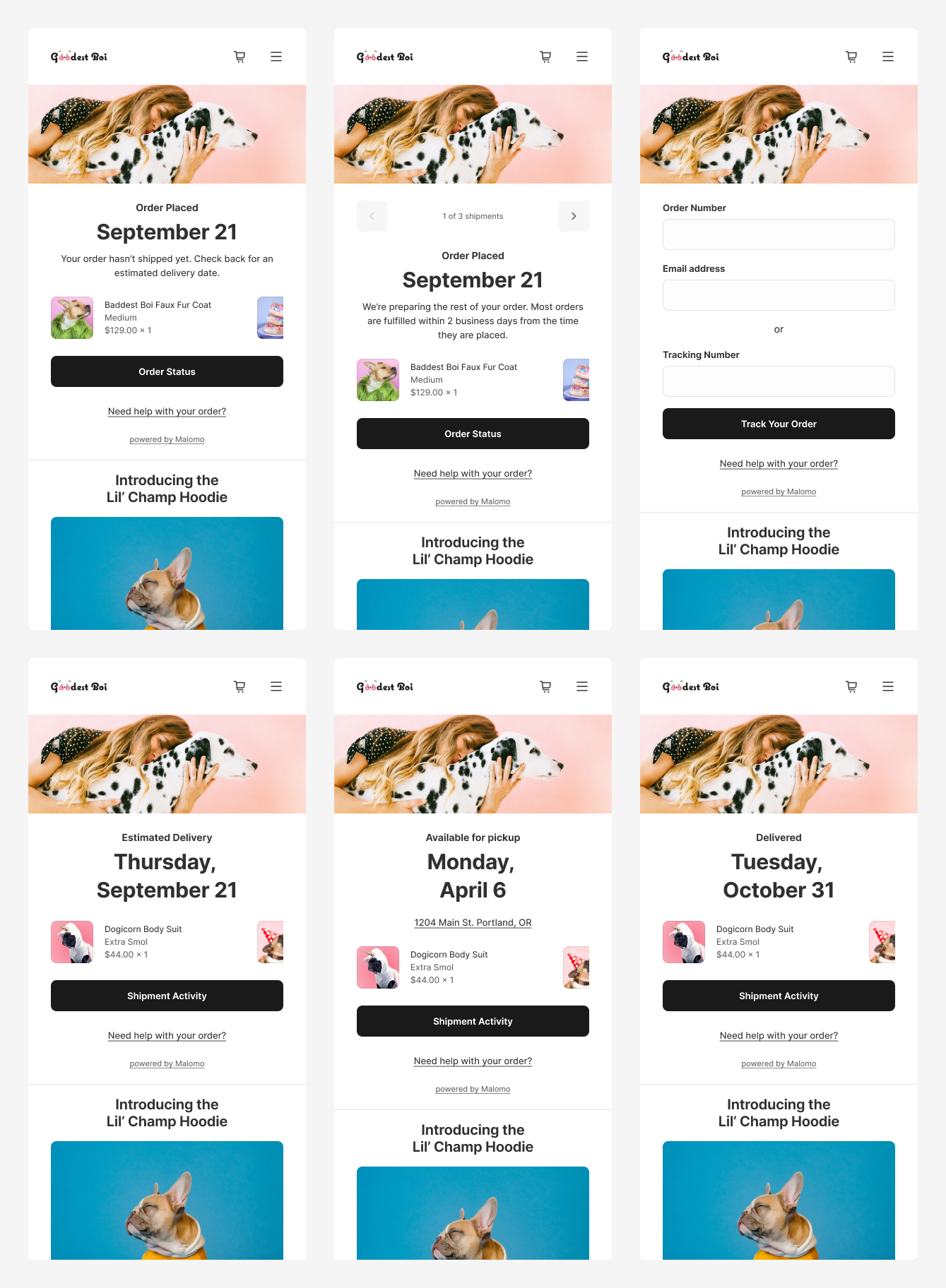
Customer-facing tracking block states